
WebPro Demonstrations
Changing the name of a telephone extension
Click on the image for a brief tutorial on how to change the name of a telephone extension using the NEC UX5000 Webpro interface.

Programming speed dial numbers
Click on the image to the left to watch a brief tutorial on programming speed dial numbers using the NEC UX5000 Webpro interface.
UX5000 Desktop Suite Demonstrations
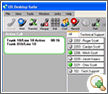
PC Attendant
A brief demonstration on the UX5000 PC Attendant layout. This tutorial shows the extension layout, department groups, speed dials and adding a note to an intercom call.
Call Processing – PC Attendant
This is a brief tutorial showing an incoming call being answered, placed on hold and then terminated using the NEC UX5000 PC Attendant.
InDepth ACD Software
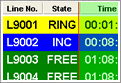
Line Status Window
Brief sample and explanation of the Line Status window for the NEC UX5000 ACD package. Shows line number, call type, status change and destination number.