
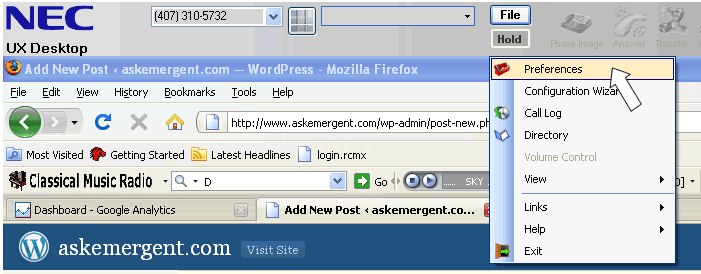
While the NEC UX5000 phone or softphone associated with the UX Desktop is idle click on the file button (to see a larger image click on picture).

Click on the preferences button.
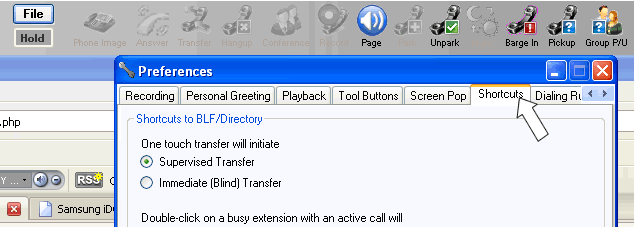
Click on the Shortcuts Tab in the NEC Desktop Preferences window.
Click the Enable Highlighted Dial Feature and Automatically Initiate Dialing box to un-select them.
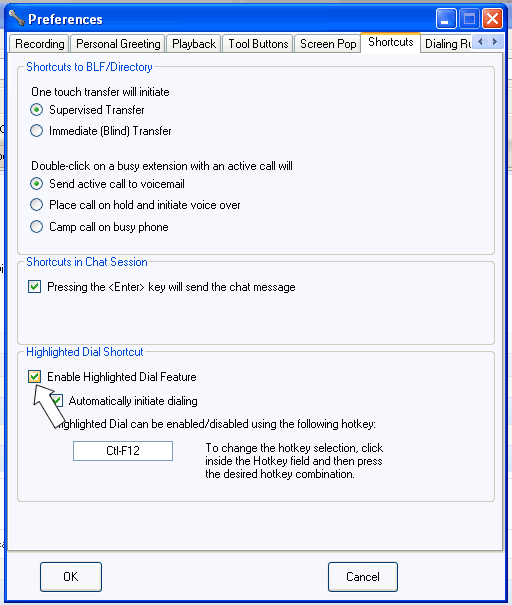
Click OK and then restart the NEC UX5000 Desktop (in some cases you may have to reboot the entire computer).
Verify the feature is disabled.