
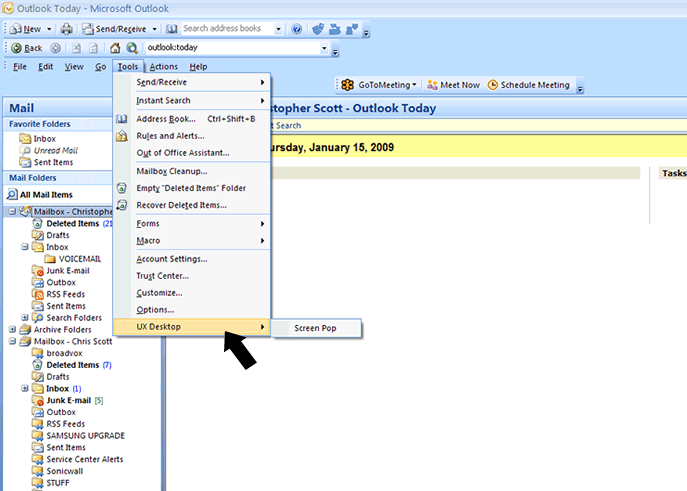
Problem: UX Desktop application is missing from Microsoft Outlook (under TOOLS – see below) and screen pops in Outlook do not work.
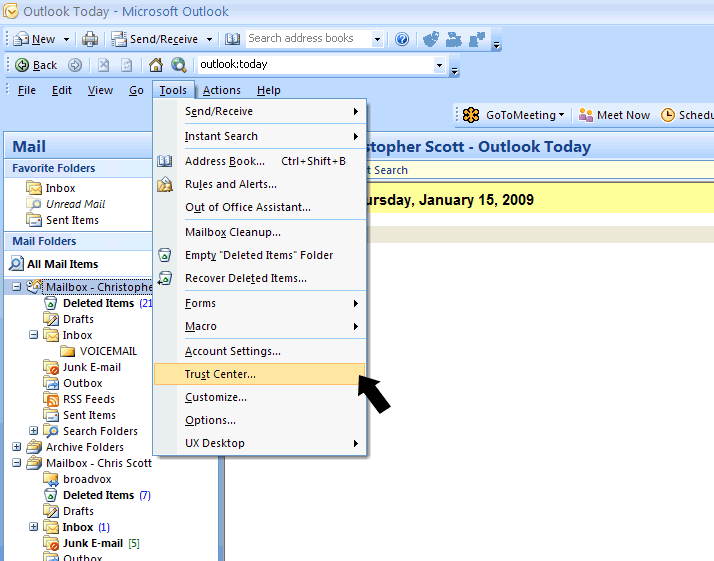
Solution : Under TOOLS click TRUST CENTER (see below).
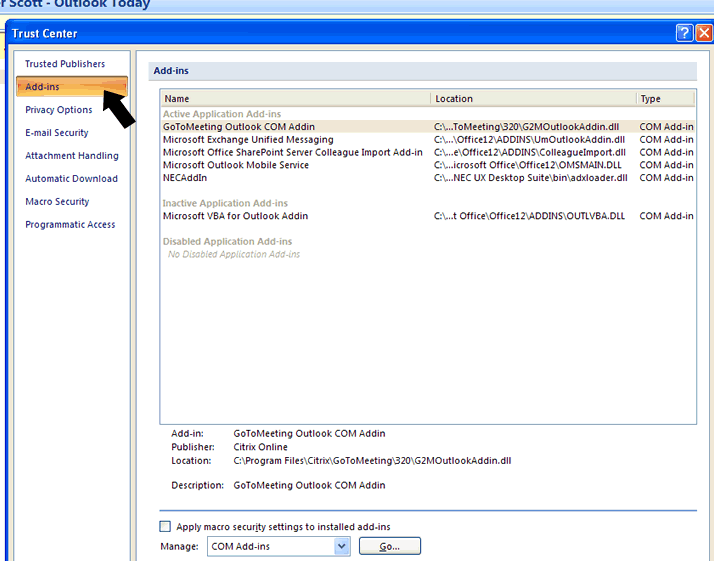
In the TRUST CENTER click ADD-INS.
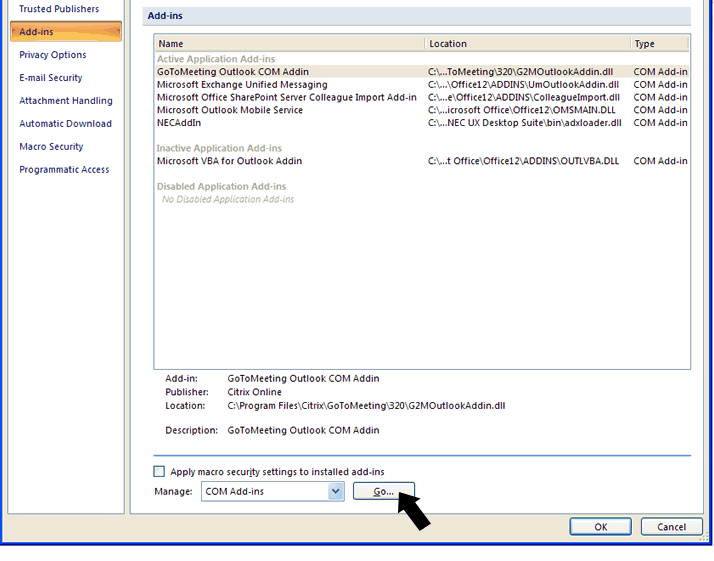
In the TRUST CENTER make sure it says Manage: COM Add-ins and then click GO.
Under COM Add-Ins make sure the NECAddIn box is checkmarked.
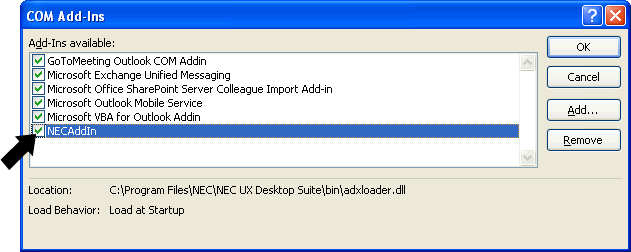
Click OK and then verify that the UX Desktop Screen Pop is now listed under TOOLS.